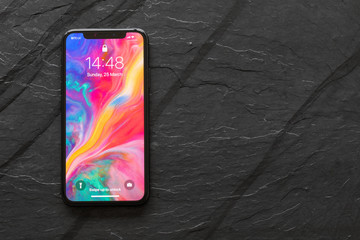
Apple showed a major improvement in screen design on the iPhone X when using the notch screen to place its new TrueDepth camera cluster. The company also equips the iPhone X with a new 19: 5: 9 screen ratio for an extremely large display area, bringing a comfortable experience space for users.
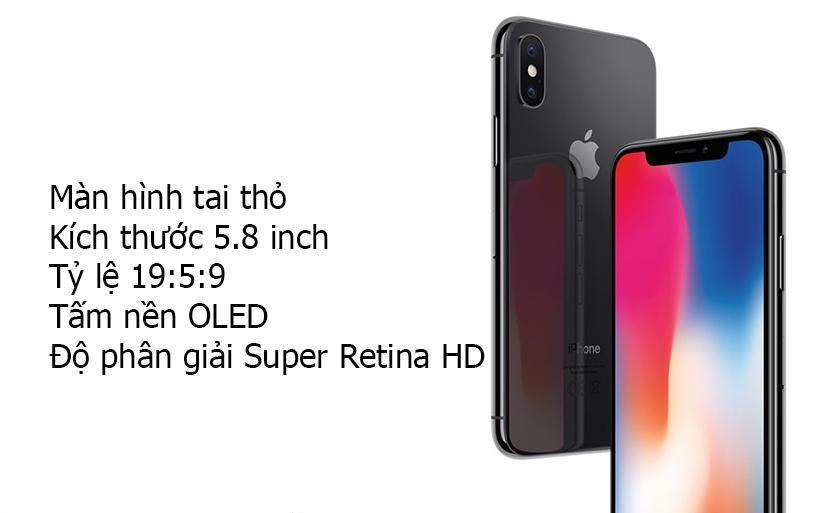
In addition, Apple also favored the iPhone X 5.8-inch OLED panel with Super Retina HD resolution. Thanks to this, the iPhone X screen displays vivid colors, wide viewing angles, improved brightness and significant power savings. In addition, True Tone technology makes the colors extremely realistic, ensuring that the user is satisfied with the iPhone X.
When your iPhone X screen is more yellow than usual, here is one of the ways to fix an iPhone X with a screen that reduces the amount of shading without affecting the hardware.
You can adjust it by starting the True Tone feature of iPhone X
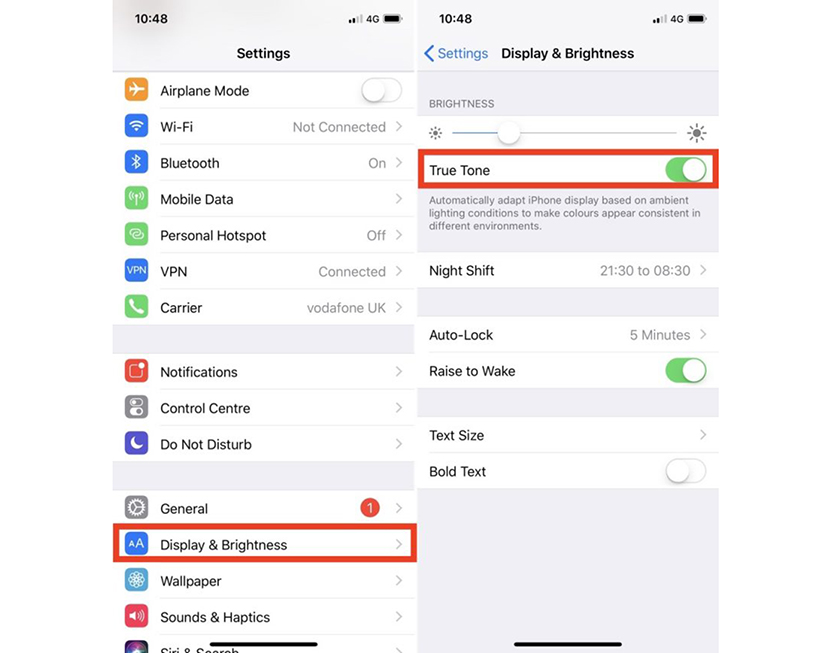
Many users do not like the True Tone feature because the screen can then be too blue or yellow, which is not suitable for your eyes. Then you perform the following steps:
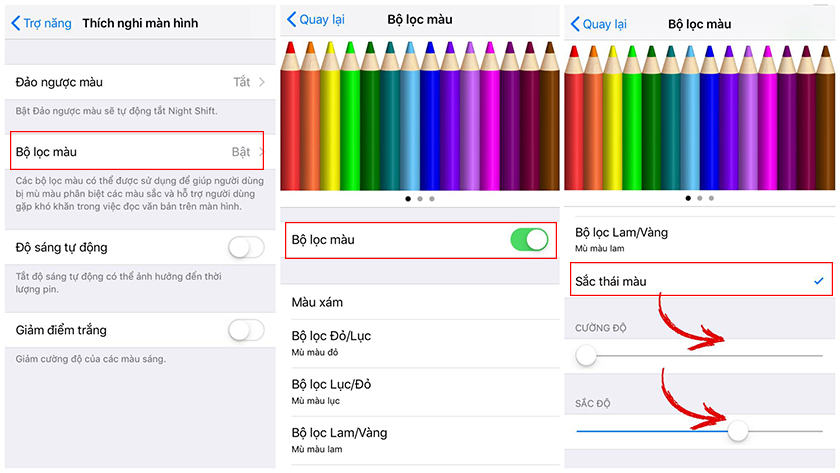
Step 1: You go to Settings (Settings)> General (General)> Accessibility> Display Adaptation> Color Filters.
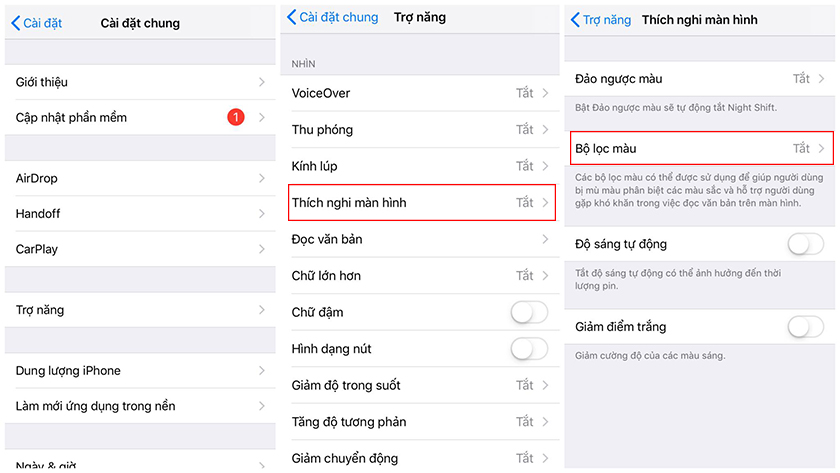
Step 2: After that, turn on the Color Filter option and choose Color Tint at the bottom of the Menu. At that time, the screen will display 2 sliders: Intensity (Intensity) and Hue (Hue).
Step 3: Next, adjust the Hue color bar to a more / less yellowish level as you like before, then drag the Intensity bar to low to reduce the color tone. This way, you can adjust the screen to suit the best view.